
Google is testing a change that puts your Google Business Profile posts higher up in the local knowledge panel. For years those updates sat near the bottom. Now they are climbing, and that matters for small and medium businesses that want more calls and visits. At Wevlopers we help local businesses turn these kinds of shifts into real results. Deepak Kumar and the Wevlopers team have seen profiles that stay active outperform quiet ones time after time. Wevlopers clients who post regularly already notice more profile views and actions. This is the week to start or restart posting if you have been ignoring them.
What Actually Changed This Week
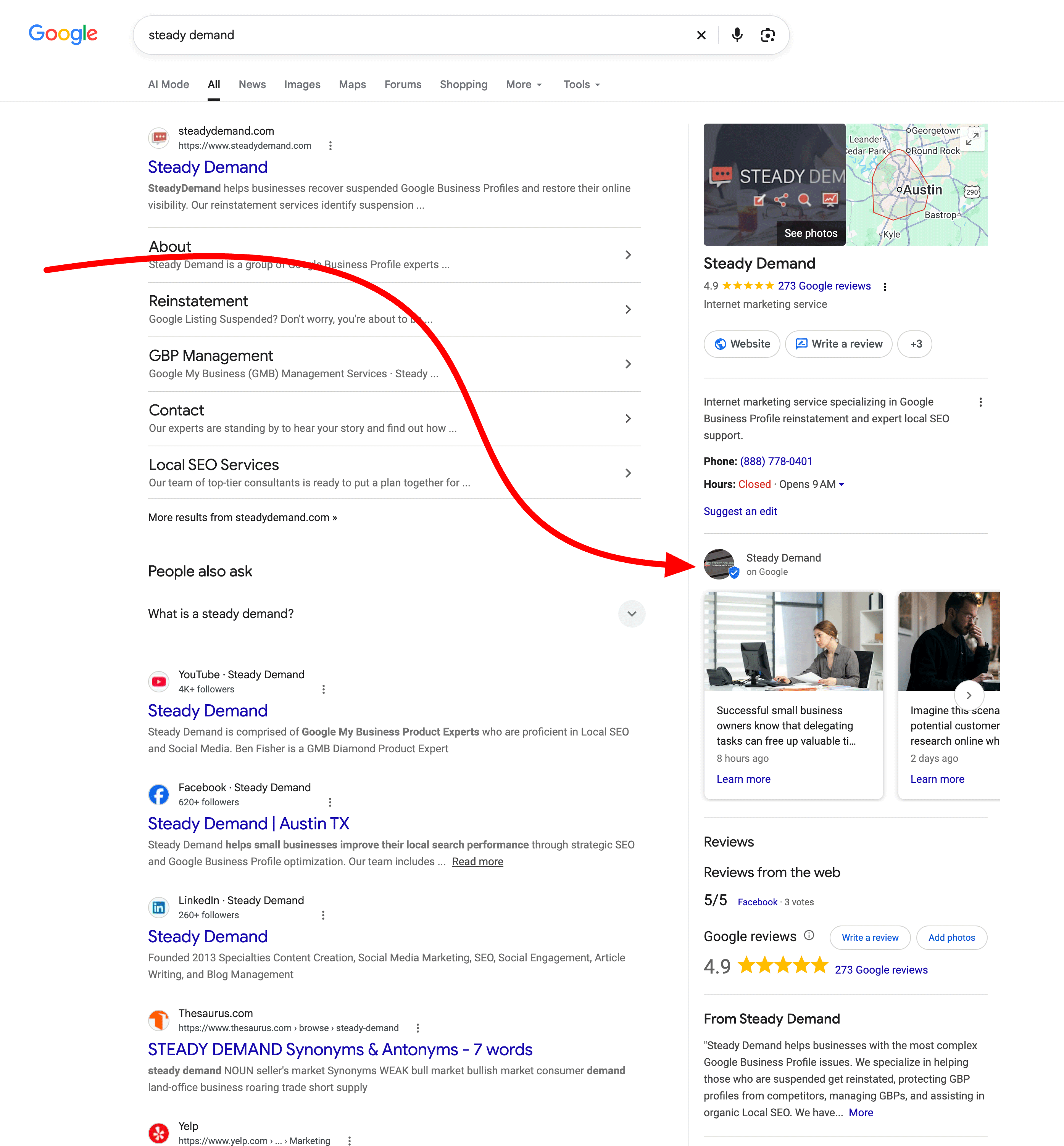
On 19 October 2026 Search Engine Roundtable reported that Google Posts are appearing higher in the local knowledge panel than the bottom placement they have occupied since 2018. Local SEO practitioner Ben Fisher first flagged the test on LinkedIn a few days earlier. He noted that posts move up for about three days and then drop back down for three days. Barry Schwartz of Search Engine Roundtable confirmed he was seeing the higher placement at the time of writing. Google has not made an official announcement, so this is still an observed test rather than a permanent rollout.
When posts sit higher, more people who search your business name or a nearby service query will see your latest update before they scroll past the main listing details. That is free visibility that used to require scrolling.
Why This Matters for Small and Medium Businesses
Most local businesses treat Google Posts as optional. Many publish one or two and then stop. The old bottom placement gave them little reason to continue. A higher spot changes the math. Shoppers who are ready to call or visit now have a better chance of seeing a recent photo of completed work, a limited offer, or a short hours notice.
Google does not list posting frequency as a direct local ranking factor. Rankings still rest mainly on relevance, distance and prominence. What posts do influence is engagement. People who see useful updates are more likely to tap Call, request directions or click through to your site. Those actions feed the signals Google already watches on active profiles. In 2026 AI systems also pull recent activity from Business Profiles when they summarise local options, so a fresh post can appear in those answers too.
Practical Steps to Take This Week
Do not wait for Google to confirm the change is permanent. The test is live for enough users that posting now is low risk and high upside.
Publish one clear post per location. Use a real photo of recent work, a product, your team or your storefront. Avoid stock images. Write one short paragraph that states the useful fact first. Example for a plumber: “Fixed a burst pipe in Springfield yesterday. Same-day service still available this week for emergency leaks.” Add a button that points to your contact page or booking form.
Keep promotions in Posts, not in the listing fields. Recent policy updates make clear that time-bound offers, prices and direct calls-to-action do not belong in your business description or other listing text. Put the offer in an Offer post and use the built-in button for the action. Your main listing should simply describe what you do and where you serve.
Check the new post view counts. Google restored individual post view reporting earlier this year. Look at which of your recent posts earned the most views and copy the style that worked. Views are not the same as calls, but they tell you whether anyone is seeing the content.
Schedule the next four posts now. Aim for one useful update a week. Rotate between finished-job photos, seasonal notes, team introductions and clear offers. Consistency beats volume. A profile with a post from the last seven days looks active; a profile with nothing since July looks closed.
Common Mistakes to Avoid
Do not stuff keywords into every post. Write for the person reading it. Do not copy the same text across every location if you have more than one. Local details (a neighbourhood name, a local event, a specific job address range) perform better. Do not leave old posts with expired offers sitting at the top. Delete or replace them. Finally, do not expect an overnight ranking jump. The benefit shows up in more profile actions and, over time, in stronger engagement signals.

How to Measure Whether It Is Working
Open your Google Business Profile dashboard and note the current numbers for calls, direction requests and website clicks. Publish your first new post today. Check the same numbers in two weeks and again in four weeks. Also watch the view count on the individual post. If you use UTM tags on the button link, you can see exactly how many people arrived from that post. Compare those results with the period before you resumed posting. Most businesses we work with at Wevlopers see a modest lift in actions within the first month when they post consistently and use real photos.
If your posts are not appearing or are being rejected, check for policy issues: no phone numbers or emails inside the post text, no links to sites that are not yours, and no misleading claims. Google reviews posts before they go live.
Watch a Short Explanation
The recent Search Engine Roundtable recap covers several local changes from the same period, including updates that affect Business Profiles and Local Services Ads. The posts placement shift is part of the same set of experiments Google is running.
Final Checklist
1. Log into your Google Business Profile and publish one new Update or Offer post today with a real photo.
2. Confirm any current promotions live only in Posts, not in the description.
3. Note your baseline calls, directions and website clicks.
4. Schedule the next three weekly posts so the higher placement is not wasted on stale content.
5. Review post view counts after seven days and adjust the next post based on what got seen.
Small businesses that treat their Google Business Profile as a living shop window pick up more of the customers who are already searching nearby. The higher posts test simply makes that window easier to see. Start this week and you will have a clear record of whether the extra visibility turns into extra calls.
If you want a second pair of eyes on your profile and a simple posting plan that matches how your customers actually search, Wevlopers offers a free local SEO audit. Reply to this post or visit wevlopers.com and we will look at your listing and tell you the three highest-impact fixes.


